> For the complete documentation index, see [llms.txt](https://docs.alphagate.io/llms.txt). Markdown versions of documentation pages are available by appending `.md` to page URLs; this page is available as [Markdown](https://docs.alphagate.io/features/extension.md).
# Extension
With the extension, exploring Crypto Twitter has never been easier. Alphagate lets you quickly check profile details, track username changes, and spot key followers effortlessly. You can also monitor all contracts a project has posted, even if they’ve been deleted, and easily identify accounts with multiple renames. Want to discover something new or trending? Just click the popup and dive in.
**Versions**
You can download the **Chrome** extension[ **here**](https://chromewebstore.google.com/detail/alphagate-x/niokainjnclnhaflagpmeobbnklokill?hl=en)
For a local installation download the zip and import the unzipped folder through `chrome://extensions/`
{% file src="/files/cXpY03WK69Hcfr3v6Pnw" %}
Uploaded on January 27 2026 (Axiom fix)
{% endfile %}
{% file src="/files/QzTIL8MEQK2A48BKXs82" %}
Uploaded on March 16 2025 (Photon-Bullx version)
{% endfile %}
Old version with Twitter only support and no Photon-Bullx-Axiom integration.
{% file src="/files/EFg6YXNBUXna5TcrhPiY" %}
Uploaded on February 6 2025
{% endfile %}
For a local **Firefox** installation download the zip, navigate to
`about:debugging#/runtime/this-firefox`
click Load Temporary Add-on and import the manifest.json file
{% file src="/files/2qHla4YcmWlxHzJXmkEQ" %}
Uploaded on August 5 2025
{% endfile %}
**Projects**
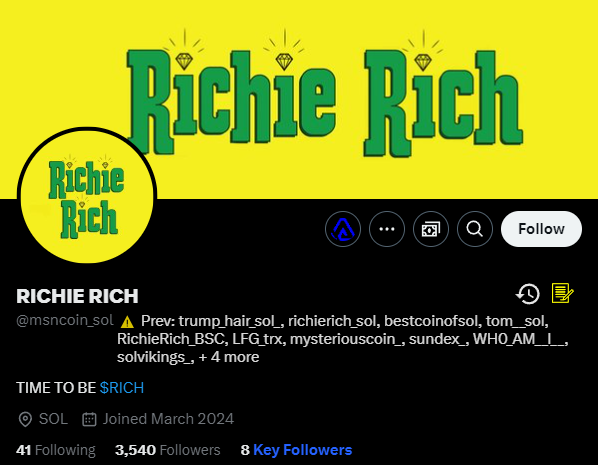
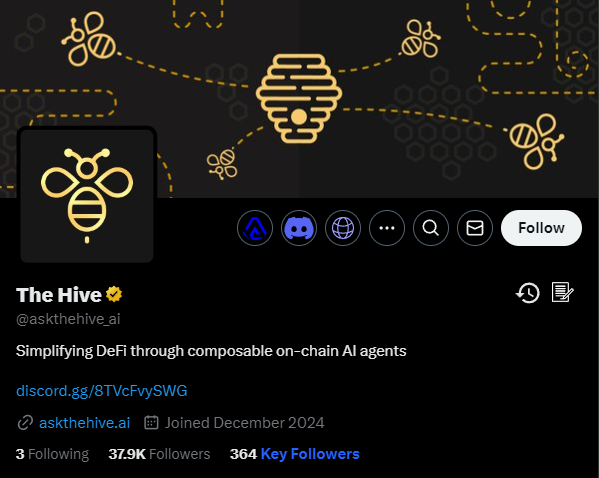
Project info
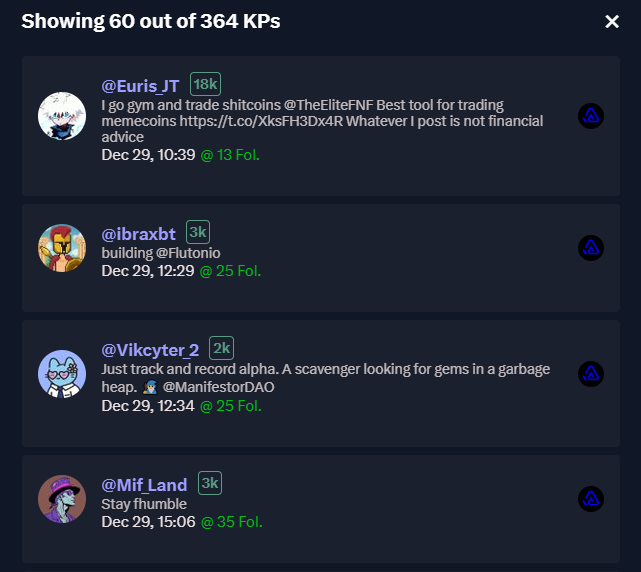
By clicking on "Key Followers" you can see a list of the key profiles that followed the project early on.
Key Followers from old > new
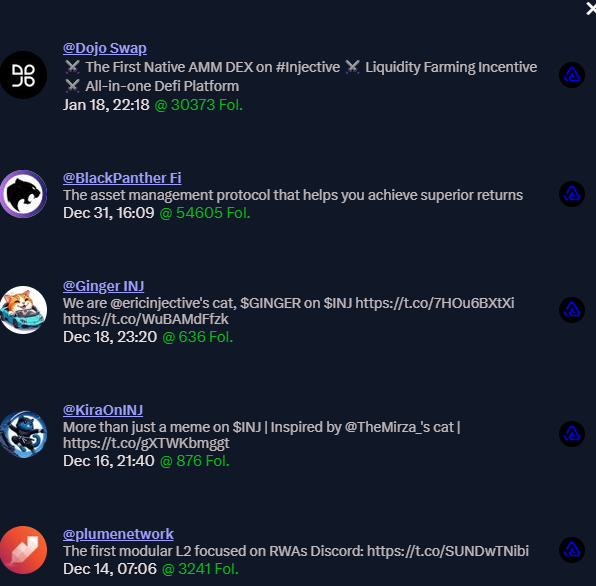
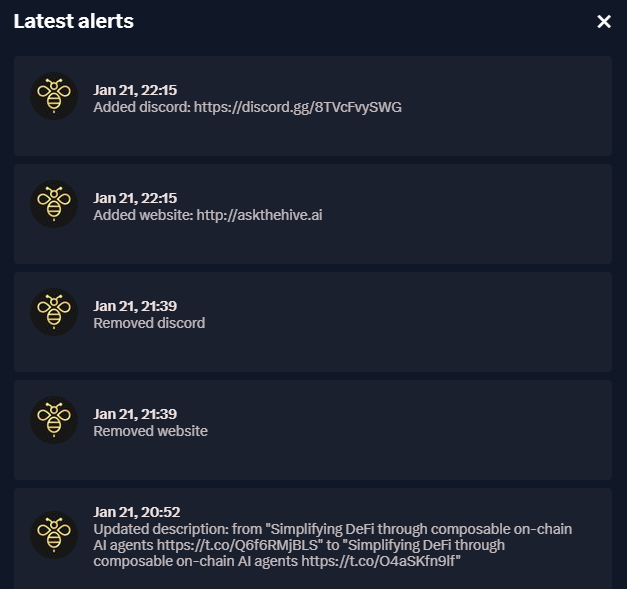
By clicking on the icon, you can view a list of the latest alerts.
Project's latest bio - link changes
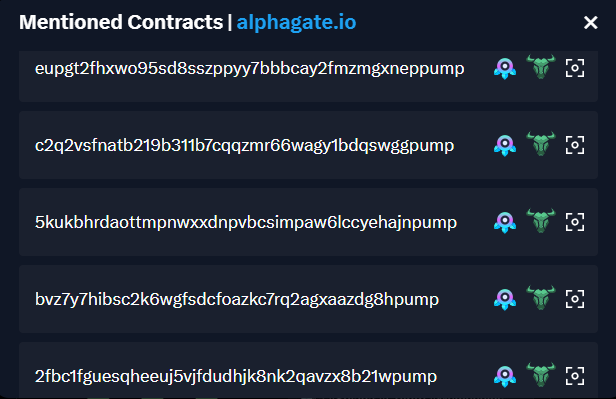
By clicking on the icon, you can view a list of all the contracts posted by the project.
List of contracts
## Renamed Accounts and Previous Contracts
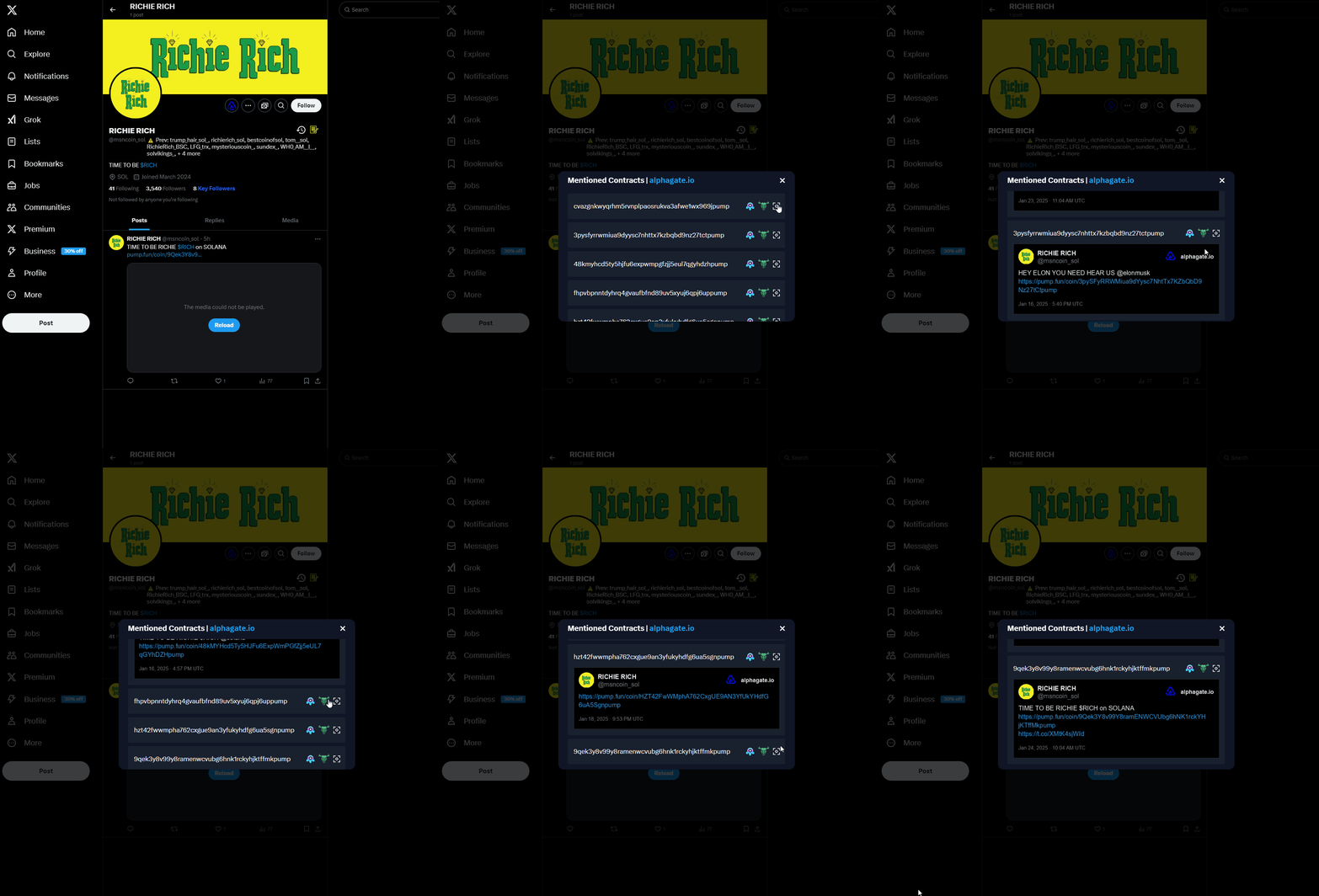
When you're browsing X and come across a project with renamed data in our records, we'll automatically display it without requiring any additional clicks from you. This helps filter out rug pulls.
We also track all the contracts ever posted by that profile, even if they are deleted later.
{% hint style="info" %}
For example, the account launched two contracts in the past, and the tweets were deleted afterwards. That, combined with several renames, indicates it’s probably a serial scammer.
{% endhint %}
## Key Profiles
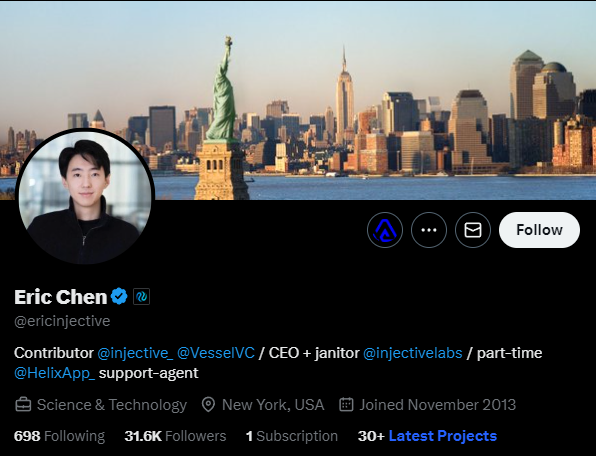
When visiting a key profile that we have in our database you can view records of their latest follows, let's take a look at Injective's CEO profile as an example.
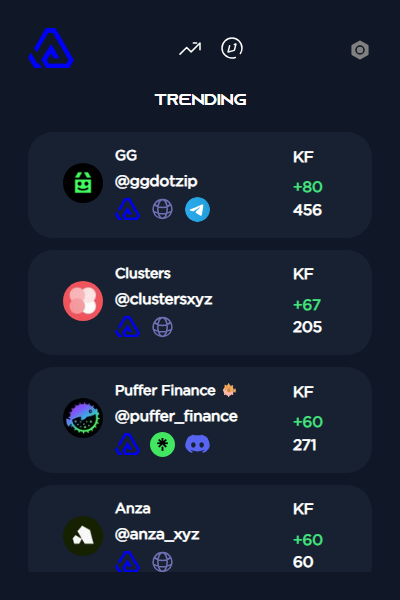
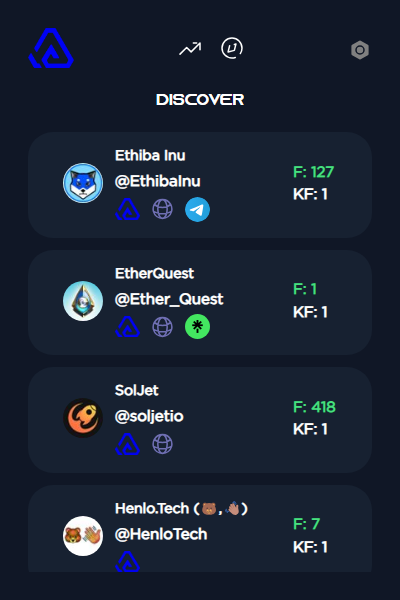
## Popup
The popup has two sections at the time of writing.
* Trending Projects (Displays the recent Trending projects)
* Discover Feed (Displays the latest projects that Alphagate captures in real time.)
---
# Agent Instructions
This documentation is published with GitBook. GitBook is the documentation platform designed so that both humans and AI agents can read, navigate, and reason over technical content effectively. Learn more at gitbook.com.
## Querying This Documentation
If you need additional information that is not directly available in this page, you can query the documentation dynamically by asking a question.
Perform an HTTP GET request on the current page URL with the `ask` query parameter, and the optional `goal` query parameter:
```
GET https://docs.alphagate.io/features/extension.md?ask=&goal=
```
`ask` is the immediate question: it should be specific, self-contained, and written in natural language.
`goal` is optional and describes the broader end goal you are ultimately trying to accomplish on behalf of the user. GitBook uses it to tailor the answer towards what is most useful for that goal.
The response will contain a direct answer to the question and relevant excerpts and sources from the documentation.
Use this mechanism when the answer is not explicitly present in the current page, you need clarification or additional context, or you want to retrieve related documentation sections.
 icon, you can view a list of the latest alerts.
 icon, you can view a list of all the contracts posted by the project.