> For the complete documentation index, see [llms.txt](https://docs.alphagate.io/llms.txt). Markdown versions of documentation pages are available by appending `.md` to page URLs; this page is available as [Markdown](https://docs.alphagate.io/find-projects-early/followings/alert-rules-and-pop-out.md).
# Alert rules and the pop-out
Make the follows you'd act on ring and stand out, and keep Followings in its own window.
## Alert rules
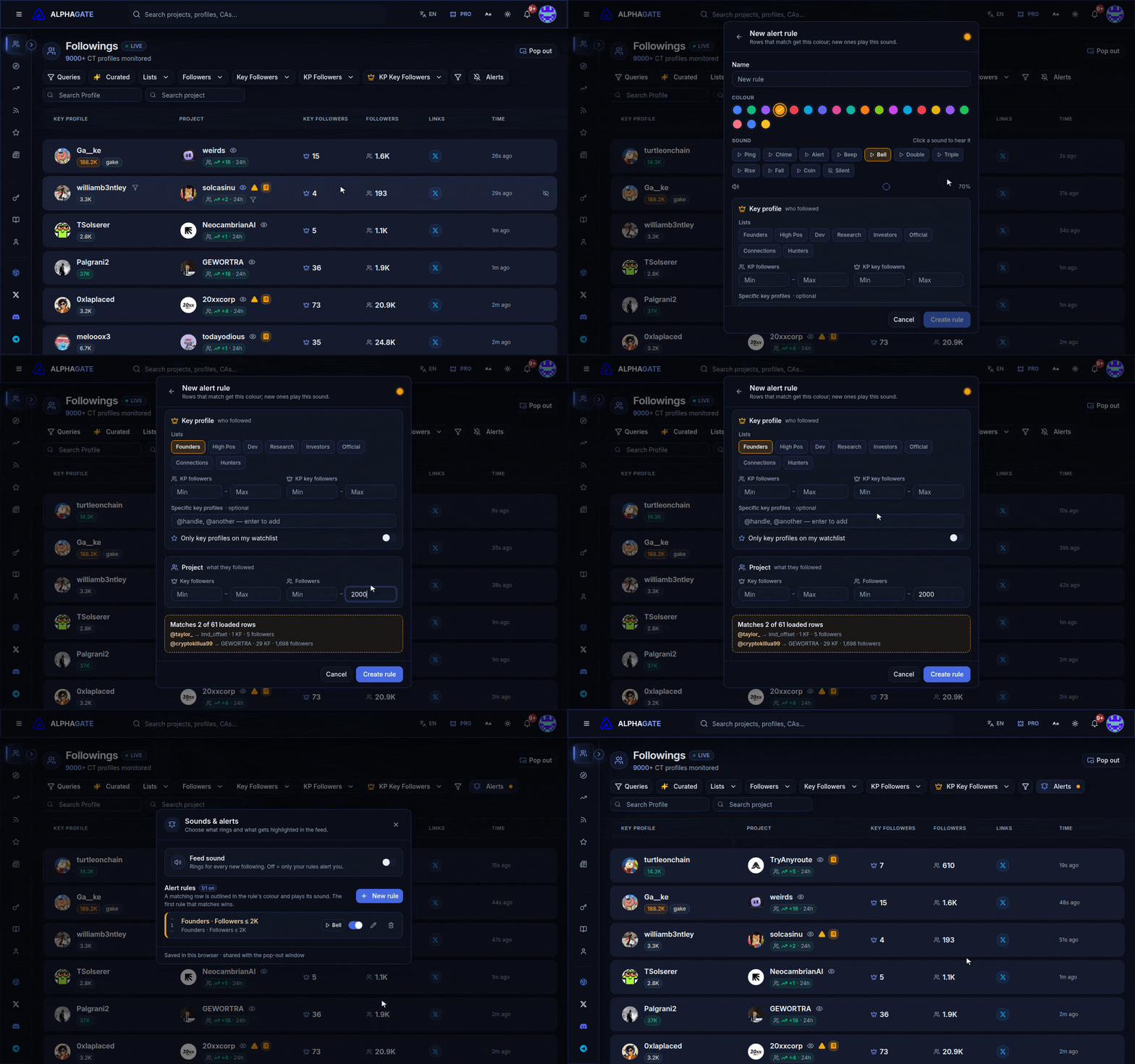
Founders following accounts under 2,000 followers: amber outline, bell sound.
A rule picks out the follows you'd act on. Matching rows get its colour and name, and new matches play its sound. A rule can combine:
* **who followed**: lists, a follower range, a key-follower range, specific @handles, or only key profiles on your watchlist;
* **what they followed**: the account's follower and key-follower ranges.
The preview line (*Matches N of M loaded rows*) tells you before you save whether a rule is too loose or would never fire. Rules are checked top to bottom and the first match wins, so put the narrowest rule first.
{% hint style="warning" %}
Rules and sounds are saved in this browser only, so set them up again on another computer. The pop-out uses the same rules.
{% endhint %}
**Feed sound** plays for every new follow, not just rule matches. It's off on the page and on in the pop-out.
## The pop-out
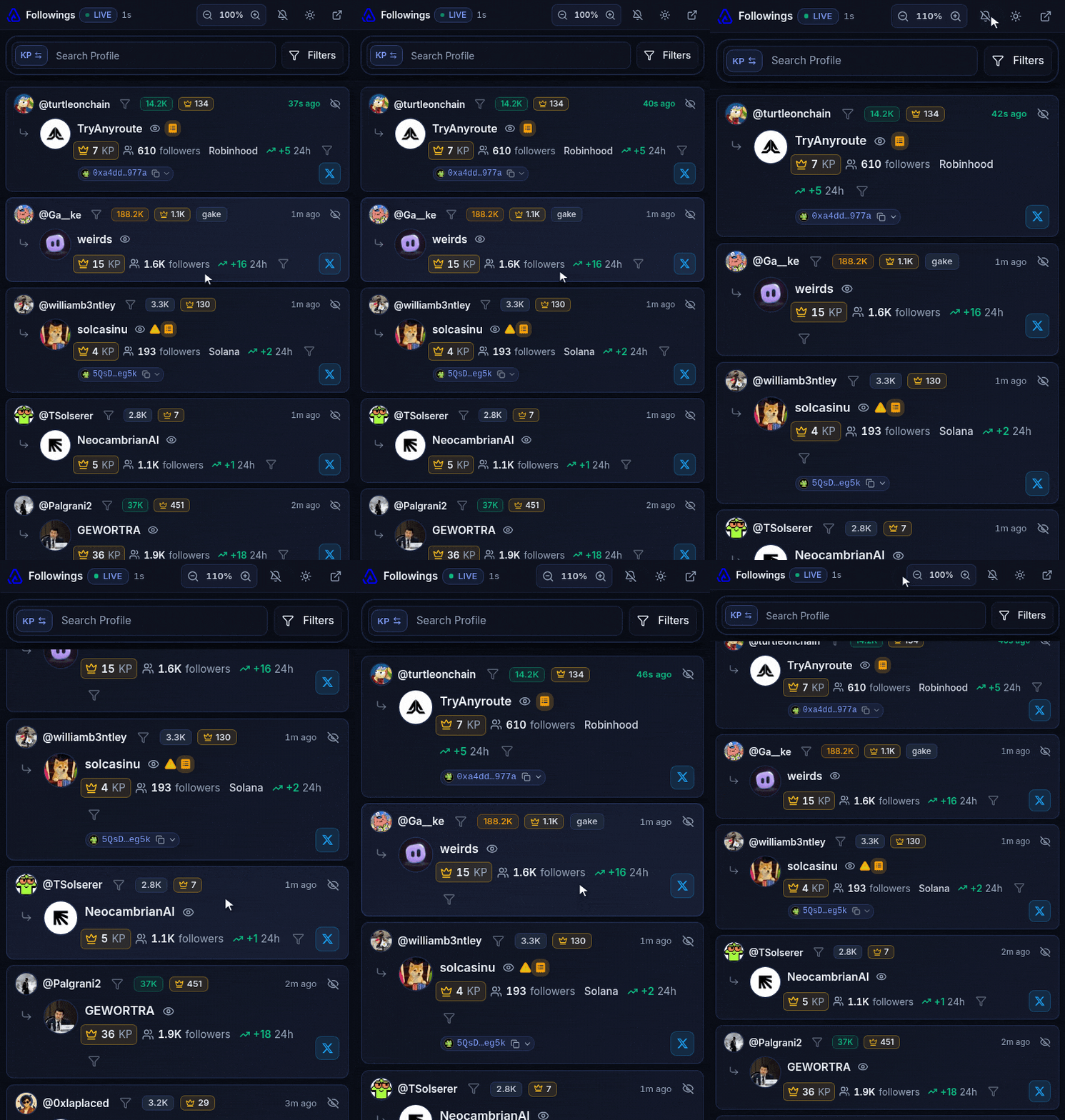
**Pop out** opens Followings in its own window; clicking it again brings back the same window rather than a second one. How it differs from the page:
* its filters are its own (alert rules are shared);
* when you scroll down, new follows wait behind a **new · jump to top** button instead of moving the list;
* it keeps the latest 240 follows, so narrow the filters to look further back;
* hovering a project's **KP** count lists its top key followers.
If nothing opens, allow pop-ups for alphagate.io.