> For the complete documentation index, see [llms.txt](https://docs.alphagate.io/llms.txt). Markdown versions of documentation pages are available by appending `.md` to page URLs; this page is available as [Markdown](https://docs.alphagate.io/find-projects-early/discover.md).
# Discover
Every new account Alphagate finds, once, with its traction summed up.
Where [Followings](https://docs.alphagate.io/find-projects-early/followings.md) tells you who just followed something, Discover tells you what's new and how much attention it already has. Each account appears once, newest first.
## What the numbers mean
* **Followers 3 → 19** is followers when Alphagate found the account → followers now. Growth since discovery is momentum you can't see on X itself.
* **Found** is when Alphagate picked it up. An account found at a handful of followers was found early.
* **Key** is how many key profiles follow it, and **Key followers** under it shows who.
* **⚠** marks previous usernames and the amber marker posted contracts. Hover either one.
* On each row, the tower icon follows the account's tweets in [Live Tweets](https://docs.alphagate.io/live-signals/live-feed/live-tweets.md), the crossed-out eye [hides the project](https://docs.alphagate.io/check-an-account/project-pages.md#hiding-a-project), and the heart watches it.
## Filters
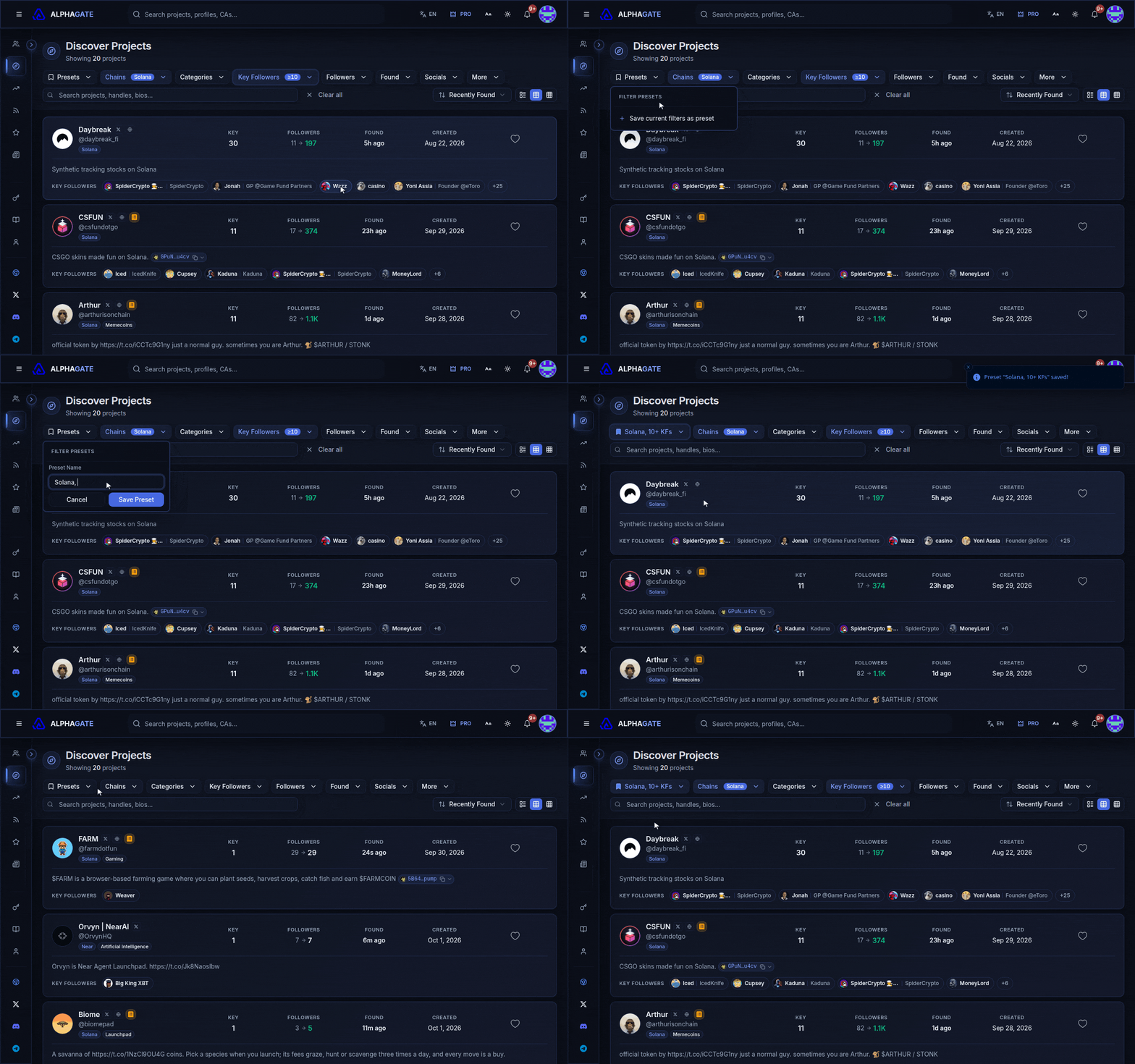
Solana projects with 10+ key followers found this week, sorted by key followers.
The ones that need a word:
* **Chains** and **Categories**: **Other** matches everything that isn't in the list. Typing narrows the list and **Enter** ticks the first match. **Select all**, then untick the few you don't want (*All but 2*).
* **Location** is where X says the account is based (*Account based in*): **Show only** some places, or **Hide** them. A place X marks as possibly inaccurate counts as **Unknown**.
* **Key Followers** and **Followers** take ranges, and accept `10k` or `1.5k`.
* **Found**: the last 24 hours, 3, 7 or 30 days, or a **Custom range**: pick a first and a last day on the calendar.
* **More › Exclude** hides projects tagged *Launched*, *NFT* or *Memecoins*. **Include unfiltered** adds raw accounts our classifier hasn't reviewed yet: more noise, sometimes earlier.
* **Sort**: *Recently Found* (the default), *Recently Created* or *Most Key Followers*.
* **Clear filters** resets everything at once. The three buttons beside the sort pick the **Layout**: Detailed, Compact or Grid.
{% hint style="info" %}
**This week's best, while they're small:** Found = *Last 7 days*, sort by *Most Key Followers*, Followers max 5,000.
{% endhint %}
## Search
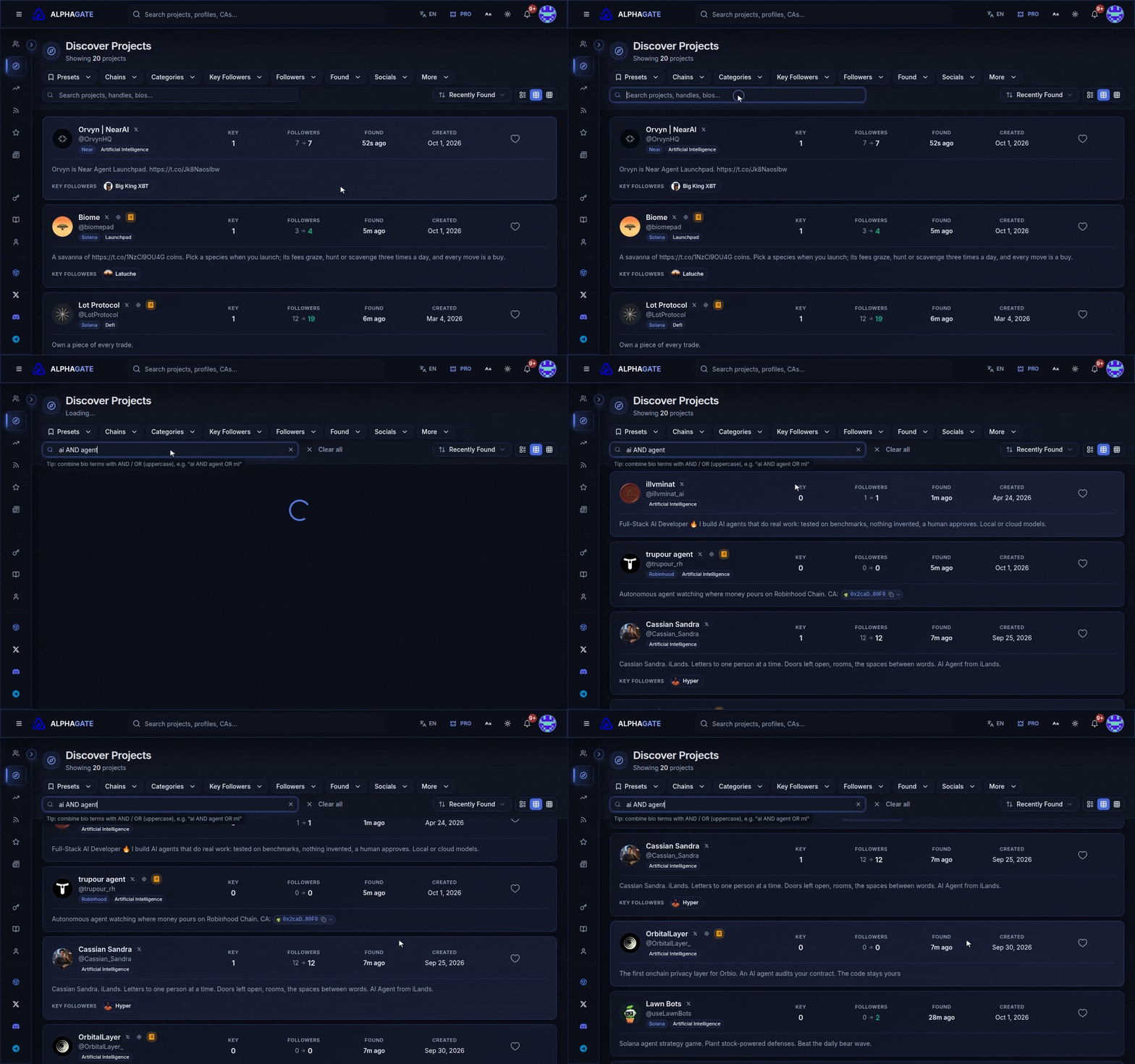
A single short word matches handles and names. Several words, or one long one, search bios instead, and can be combined with **AND** and **OR** in capitals: `ai AND agent OR ml`.
## Presets
Presets are saved to your account. Click one to apply it and again to take it off. Star one to load it every time you open Discover; filters you haven't saved reset when you reload the page.
New accounts are checked for every 10 seconds. They're added at the top only while you're at the top of the list, so nothing moves under you while you read.
**Free plan:** accounts with 40+ key followers only.