> For the complete documentation index, see [llms.txt](https://docs.alphagate.io/llms.txt). Markdown versions of documentation pages are available by appending `.md` to page URLs; this page is available as [Markdown](https://docs.alphagate.io/check-an-account/briefs.md).
# Briefs
What a project is, its contract, the key points and its latest news, on one card, every line with its source.
A brief is what you'd otherwise piece together from a project's site, its posts and its followers: what it is, whether it has a token, what to know first and what happened lately. Every line links to the post or the page it comes from.
## What's in a brief
The most important comes first.
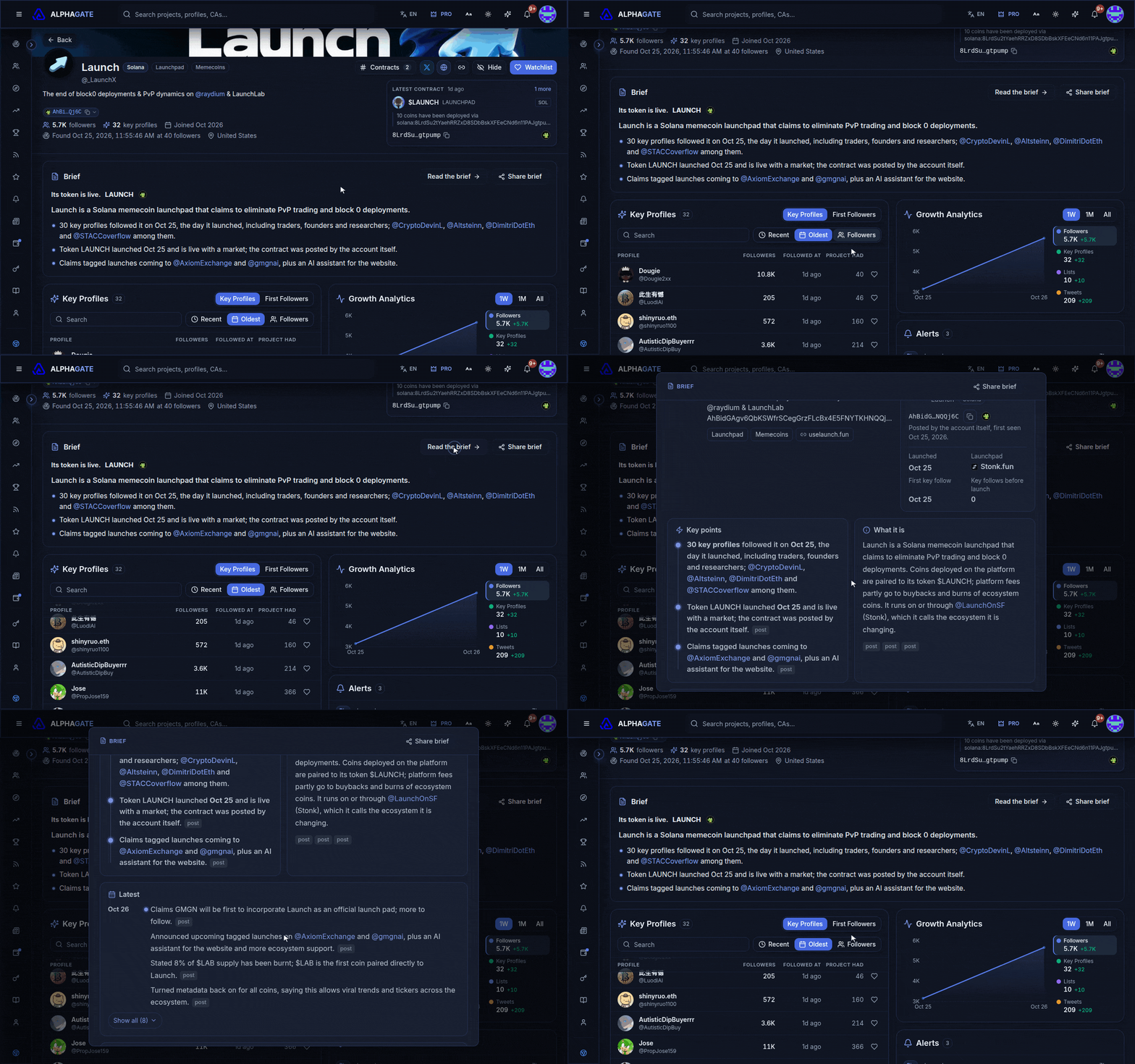
* **Contract**: whether the project has a token or a contract yet, in plain words (*Its token is live*, *Contract posted, no market seen yet*, *No contract yet*), with the address to copy and open on your [trading terminal](/account-and-billing/trading-terminal.md), and whether the account posted it itself. Then the launch day and launchpad, the first key follow, and how many key profiles followed before the launch.
* **Key points**: the few things to know first, such as an upcoming launch or which well-known accounts follow it.
* **What it is**, then **Latest**, the news day by day.
* **Who follows it**, **Who's behind it**, **How to get in** and **What to do**.
* **Official accounts**: the project's other accounts on X.
A tag sums up where the project stands: **Pre-launch**, **Launching**, **Live token** or **No token**. Each line's source follows it: *post* for a post on X, the site's name for anything else.
## Where to read them
* [**Trending**](/find-projects-early/trending.md#briefs): each row shows the brief's first line, and the whole brief opens beside the list.
* [**Project pages**](/check-an-account/project-pages.md): the brief's card sits under the header, and **Read the brief** opens all of it.
* **The quick preview** (the eye next to a project): the Overview tab shows the brief's card, and the **Brief** tab the whole brief.
* **On X**: [Alphagate X](/browser-extension/on-x.md#briefs) adds a **Brief** button to project profiles.
* **On Telegram**: `/brief ` to [@alphatelegrambot](/watchlist-and-alerts/telegram-bot.md#commands-and-search).
## Asking for one
A project without a brief yet shows **Request a brief**. It's written while you wait and shows on the page by itself, usually in about a minute. You can ask for two a day. If no brief can be written, the card says so.
## Share brief
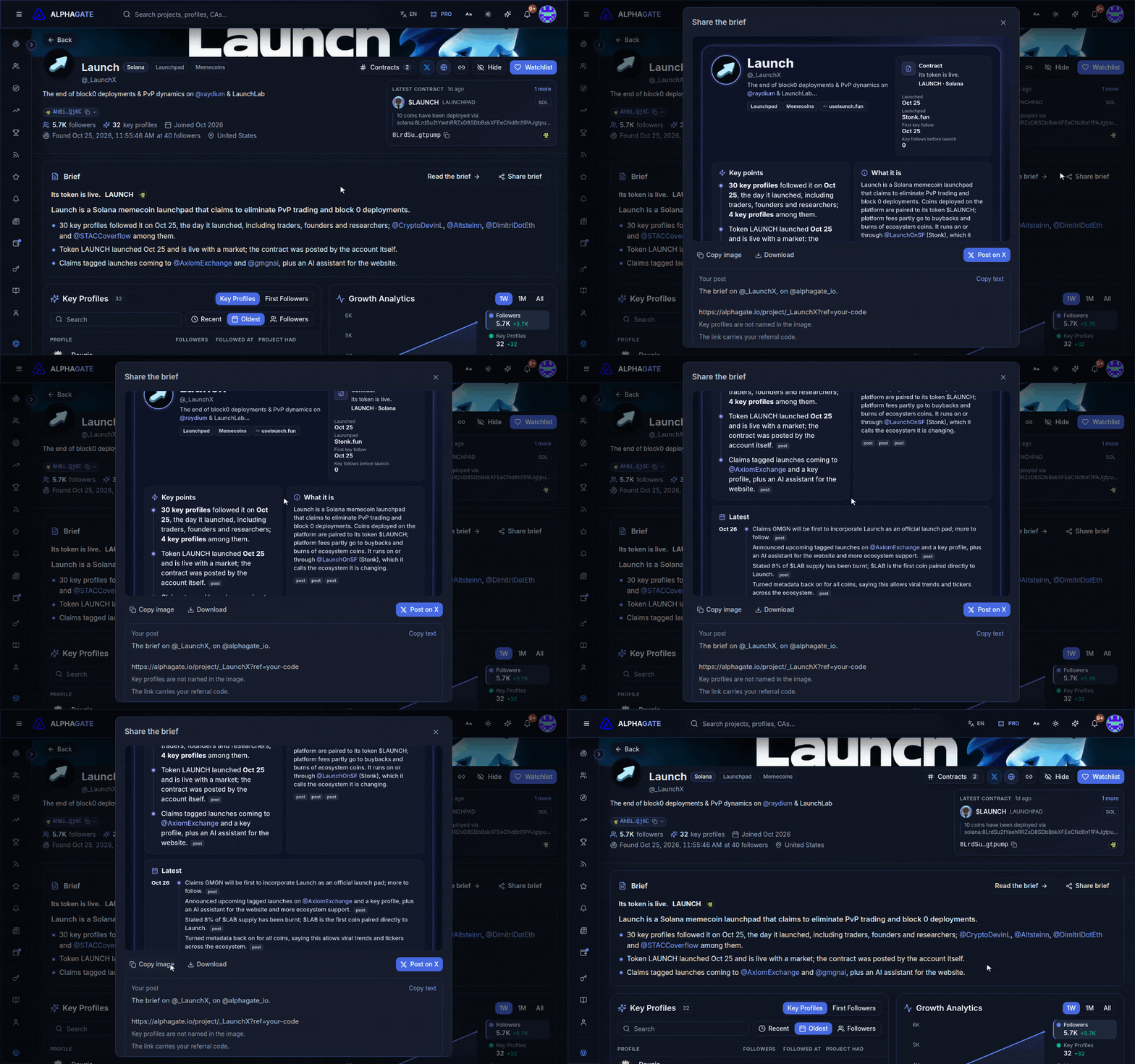
**Share brief** turns the brief into an image to post: **Copy image**, **Download** or **Post on X**. The post comes ready, with a link to the project that carries your [referral code](/account-and-billing/referrals.md). Key profiles are never named in the image; it says how many follow instead.
**Free plan:** briefs are part of Pro. A project that has one shows a Brief card with **Upgrade**, and Trending puts a Pro lock where a row's brief would be.