> For the complete documentation index, see [llms.txt](https://docs.alphagate.io/llms.txt). Markdown versions of documentation pages are available by appending `.md` to page URLs; this page is available as [Markdown](https://docs.alphagate.io/browser-extension/side-panel.md).
# Side panel
A live feed beside whatever you're doing, and a live profile of the token you're trading.
The side panel stays open next to X or your terminal, so you don't have to switch tabs. Open it with **Side panel** in the popup. Which side it docks on is a Chrome setting: **Settings › Appearance › Side panel**. Needs Pro.
## Feed
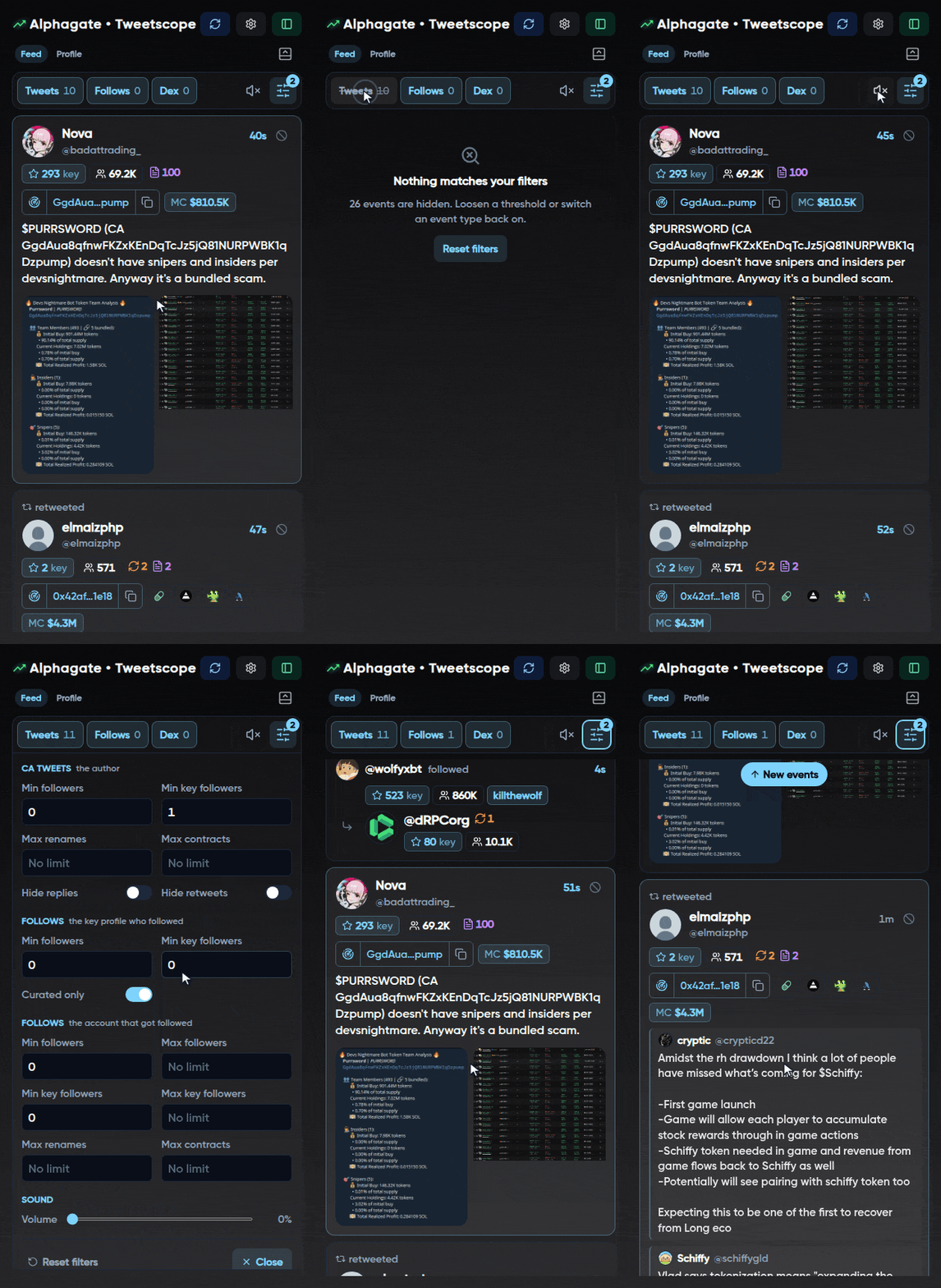
Contract tweets, key profile follows and DexScreener paid listings, as they happen. Two defaults decide what you see:
* CA tweets need an author with at least **1 key follower**;
* follows are **Curated only**: alpha hunters' follows are hidden.
Change both under **Filters**, along with follower, rename and contract limits for each event type. **⊘** on a tweet blocks its author from your feed.
## Profile
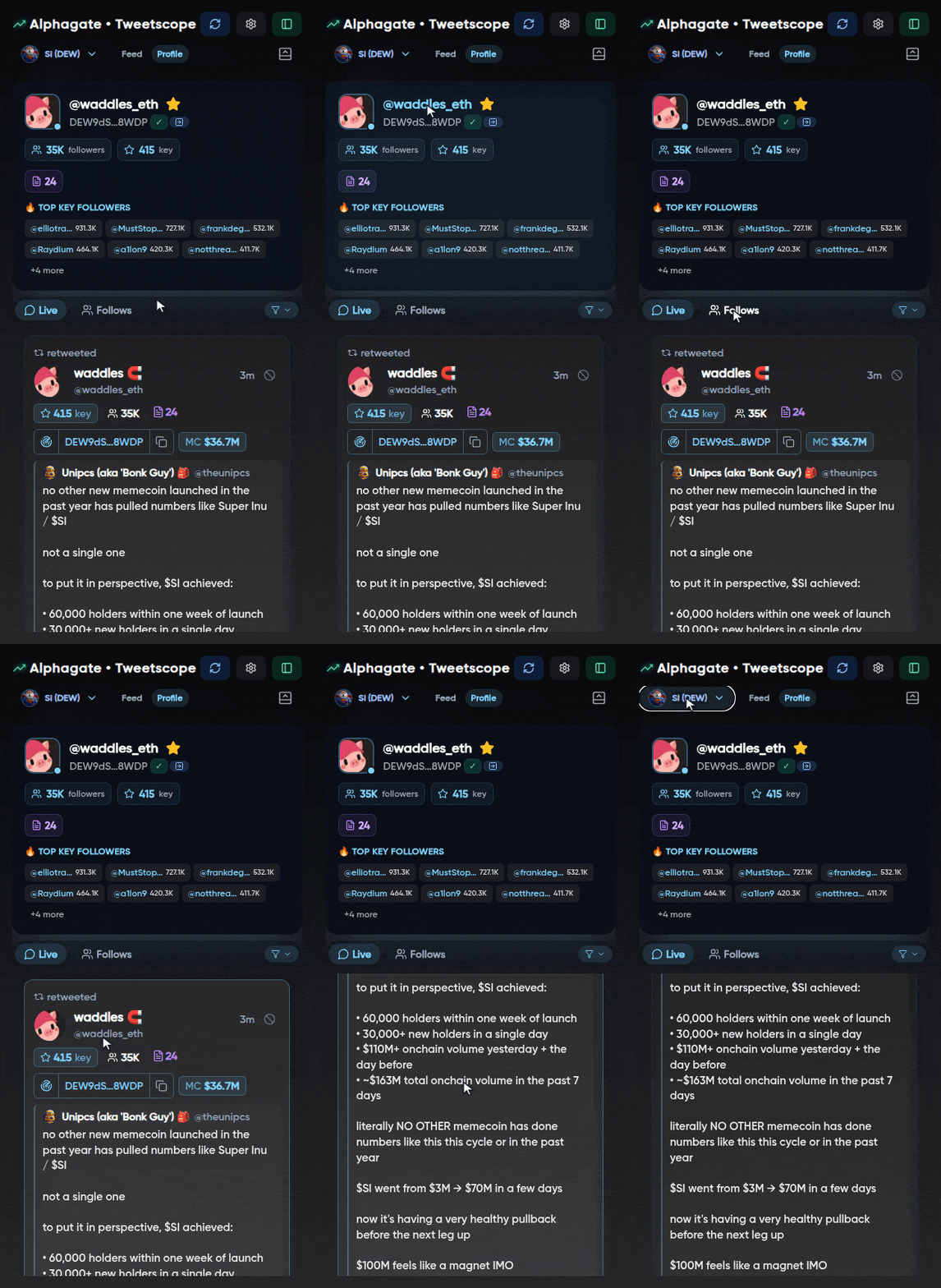
Open a token on Axiom (`/meme/` pages), Photon, GMGN or Padre **in the same window**, and the panel loads its X account in the background. It doesn't switch tabs by itself: open **Profile**, or pick the token from the picker.
* The card: followers, key followers and the top ones by name, previous names and contracts, **✓** if the account posted this contract, and a **DEX** badge if it paid for a DexScreener listing.
* **Live**: tweets mentioning the contract, ticker or handle, and new key follows of the account, as they happen. By default only authors with more than 5 key followers are shown; the funnel changes that.
* **Follows** (**Members** for community tokens): who's in.
**Pin** a token with the star to keep it in the picker and get a pop-up for each new tweet, key follow or DEX listing about it. Up to 10 pins; they clear after 5 days.
## Settings
Tweet translation (English, Chinese, Japanese, Russian), feed sound, accent colour, blocked accounts, and your trading terminal, which is shared with your Alphagate account.