> For the complete documentation index, see [llms.txt](https://docs.alphagate.io/llms.txt). Markdown versions of documentation pages are available by appending `.md` to page URLs; this page is available as [Markdown](https://docs.alphagate.io/alphagate-docs-zh/gong-neng/liao-tian.md).
# 聊天
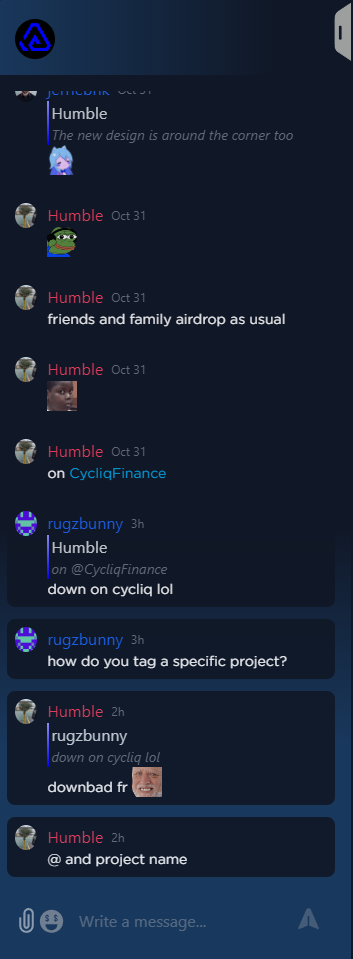
自 Alphagate 成立以来,我们的愿景就是打造一个一体化的加密 Alpha 平台。虽然我们的重点是发现 alpha,但我们同样重视社区参与。我们的目标是为用户提供促进协作的工具,允许他们分享信息、知识以及任何能使他人受益的有价值发现。这就是为什么除了项目笔记外,我们还引入了聊天功能。
### 描述
聊天组件位于平台的右侧,可以展开。我们聊天的独特之处在于每个项目都有其专属的聊天室。这确保讨论保持有序和精简,不像 Discord 等平台信息可能被大量消息埋没,用户需要筛选相关内容。
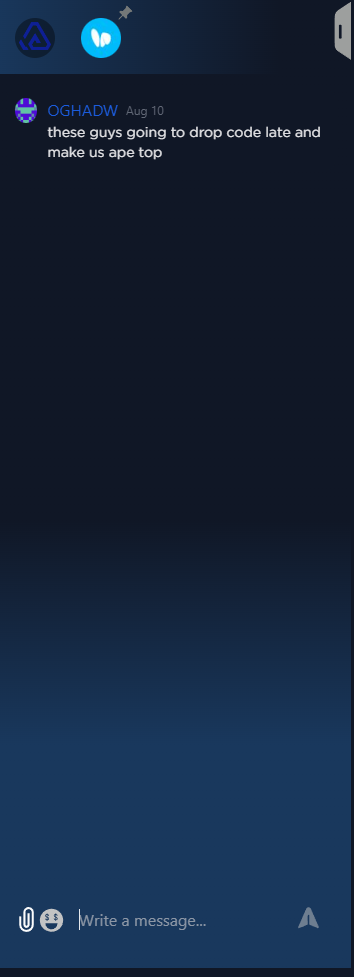
每位 Alphagate 订阅者都会自动加入“all”群聊,该群聊在聊天标题顶部显著显示,并以 Alphagate 徽标标记。当您访问特定项目时,该项目的新聊天群组会出现。在这里,您可以查看过去的讨论、提出问题并进行进一步交流。
默认情况下,当您离开某个项目页面时,其关联的聊天群组会消失,您会退出该聊天。但是,如果您希望保持连接到某个项目的聊天,可以将其固定。只需点击项目图标旁的固定图标。固定后,该聊天将保持可访问,并且您会收到该群组新消息的通知。
**提示:** 在聊天消息中,输入 @project\_name 会生成一个可点击的链接,指向被提及的项目。此功能简化了讨论,引导用户到相关项目的聊天。
---
# Agent Instructions
This documentation is published with GitBook. GitBook is the documentation platform designed so that both humans and AI agents can read, navigate, and reason over technical content effectively. Learn more at gitbook.com.
## Querying This Documentation
If you need additional information that is not directly available in this page, you can query the documentation dynamically by asking a question.
Perform an HTTP GET request on the current page URL with the `ask` query parameter, and the optional `goal` query parameter:
```
GET https://docs.alphagate.io/alphagate-docs-zh/gong-neng/liao-tian.md?ask=&goal=
```
`ask` is the immediate question: it should be specific, self-contained, and written in natural language.
`goal` is optional and describes the broader end goal you are ultimately trying to accomplish on behalf of the user. GitBook uses it to tailor the answer towards what is most useful for that goal.
The response will contain a direct answer to the question and relevant excerpts and sources from the documentation.
Use this mechanism when the answer is not explicitly present in the current page, you need clarification or additional context, or you want to retrieve related documentation sections.