> For the complete documentation index, see [llms.txt](https://docs.alphagate.io/llms.txt). Markdown versions of documentation pages are available by appending `.md` to page URLs; this page is available as [Markdown](https://docs.alphagate.io/alphagate-docs-ru/funkcii/spisok-nablyudeniya/proekty.md).
# Проекты
Вы можете добавить проекты, которые вам нравятся, в личный список наблюдения просто щелкнув значок «сердце», расположенный либо на [Открывать](/alphagate-docs-ru/funkcii/obnaruzhit.md) странице, либо на отдельной [Проект](/alphagate-docs-ru/funkcii/proekt.md) странице.
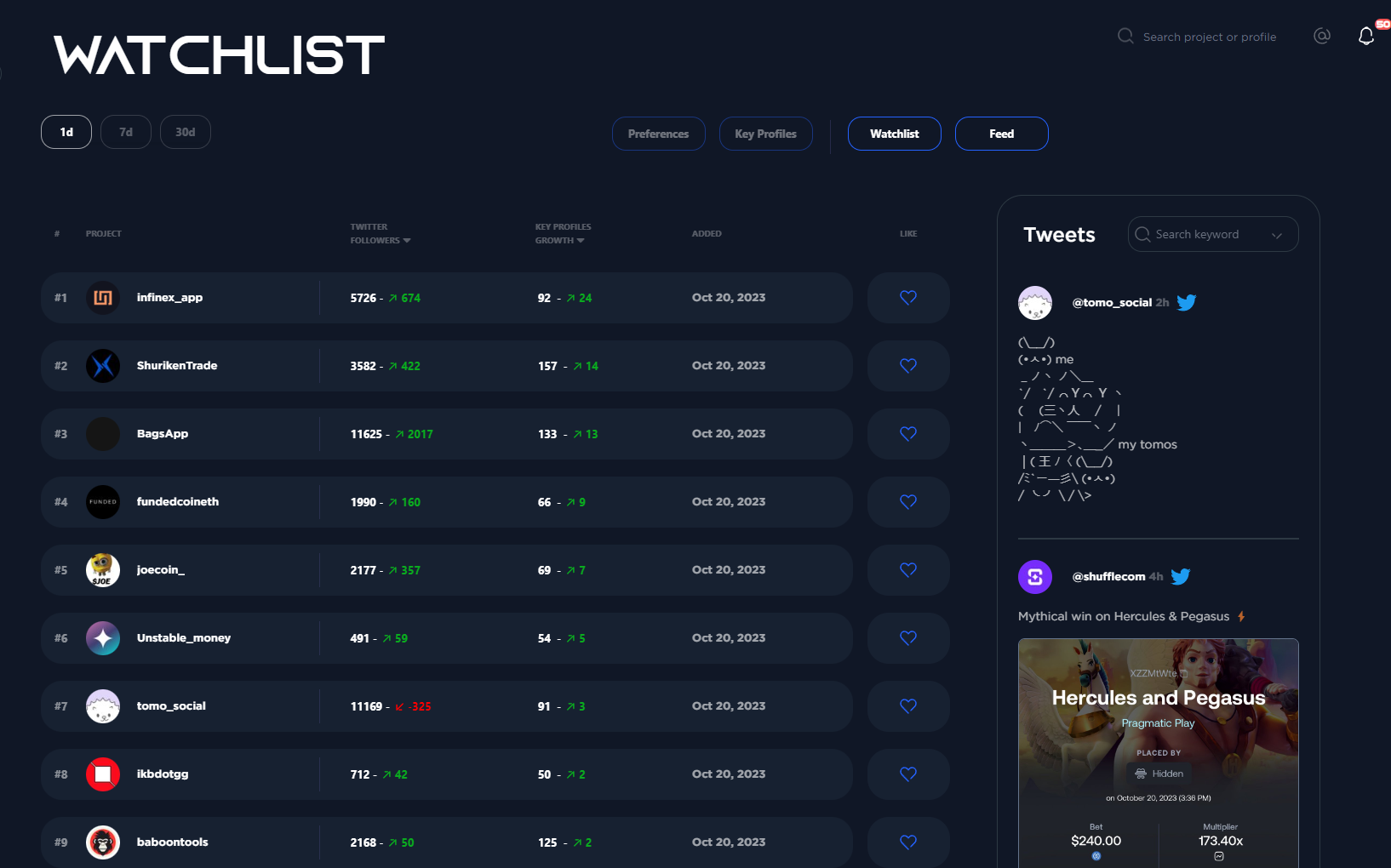
Добавляя проект в список наблюдения, вы будете отслеживать рост его подписчиков в режиме реального времени и получать уведомления о его твитах и обновлениях аккаунта (например, если они добавят веб-сайт в биографию).
Вы можете сортировать проекты в списке наблюдения с помощью следующих фильтров:
* **Подписчики в Twitter**
* **Рост подписчиков**
* **Рост ключевых профилей**
* **Ключевые профили**
По умолчанию мы отображаем проекты от новых к старым по дате добавления.
Вид списка наблюдения по умолчанию
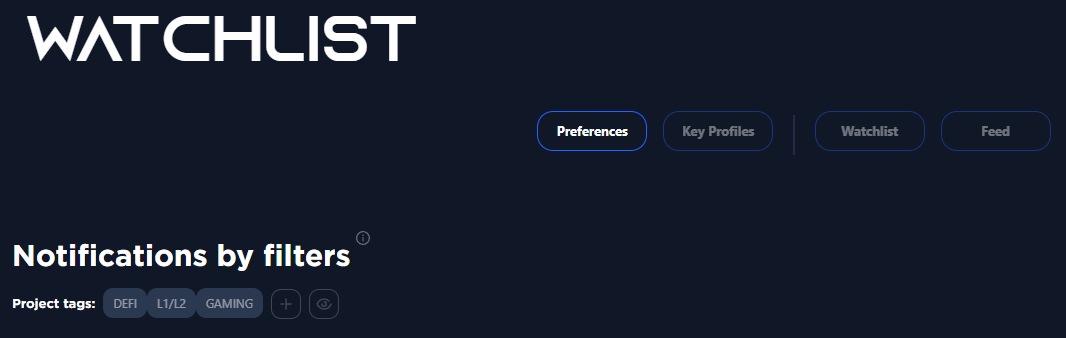
С помощью кнопки настроек предпочтений вы можете настроить оповещения для определённых тегов и сетей. Например, если вы хотите получать уведомления о каждом новом проекте в категории «DeFi», который мы обнаруживаем, просто добавьте «DeFi» в ваши предпочтения. Мы будем уведомлять вас о любых новых находках на сайте Alphagate и [**Телеграм-бот**](/alphagate-docs-ru/funkcii/telegram-bot.md). Вы можете выбрать множество сетей и категорий для мониторинга.
\
\
Обратитесь к [**Ключевые профили**](/alphagate-docs-ru/funkcii/spisok-nablyudeniya/klyuchevye-profili.md) чтобы узнать, что делает эта кнопка!
---
# Agent Instructions
This documentation is published with GitBook. GitBook is the documentation platform designed so that both humans and AI agents can read, navigate, and reason over technical content effectively. Learn more at gitbook.com.
## Querying This Documentation
If you need additional information that is not directly available in this page, you can query the documentation dynamically by asking a question.
Perform an HTTP GET request on the current page URL with the `ask` query parameter, and the optional `goal` query parameter:
```
GET https://docs.alphagate.io/alphagate-docs-ru/funkcii/spisok-nablyudeniya/proekty.md?ask=&goal=
```
`ask` is the immediate question: it should be specific, self-contained, and written in natural language.
`goal` is optional and describes the broader end goal you are ultimately trying to accomplish on behalf of the user. GitBook uses it to tailor the answer towards what is most useful for that goal.
The response will contain a direct answer to the question and relevant excerpts and sources from the documentation.
Use this mechanism when the answer is not explicitly present in the current page, you need clarification or additional context, or you want to retrieve related documentation sections.