> For the complete documentation index, see [llms.txt](https://docs.alphagate.io/llms.txt). Markdown versions of documentation pages are available by appending `.md` to page URLs; this page is available as [Markdown](https://docs.alphagate.io/account-and-billing/subscribing.md).
# Subscribing and paying
Paying for Pro in crypto, from any wallet or exchange.
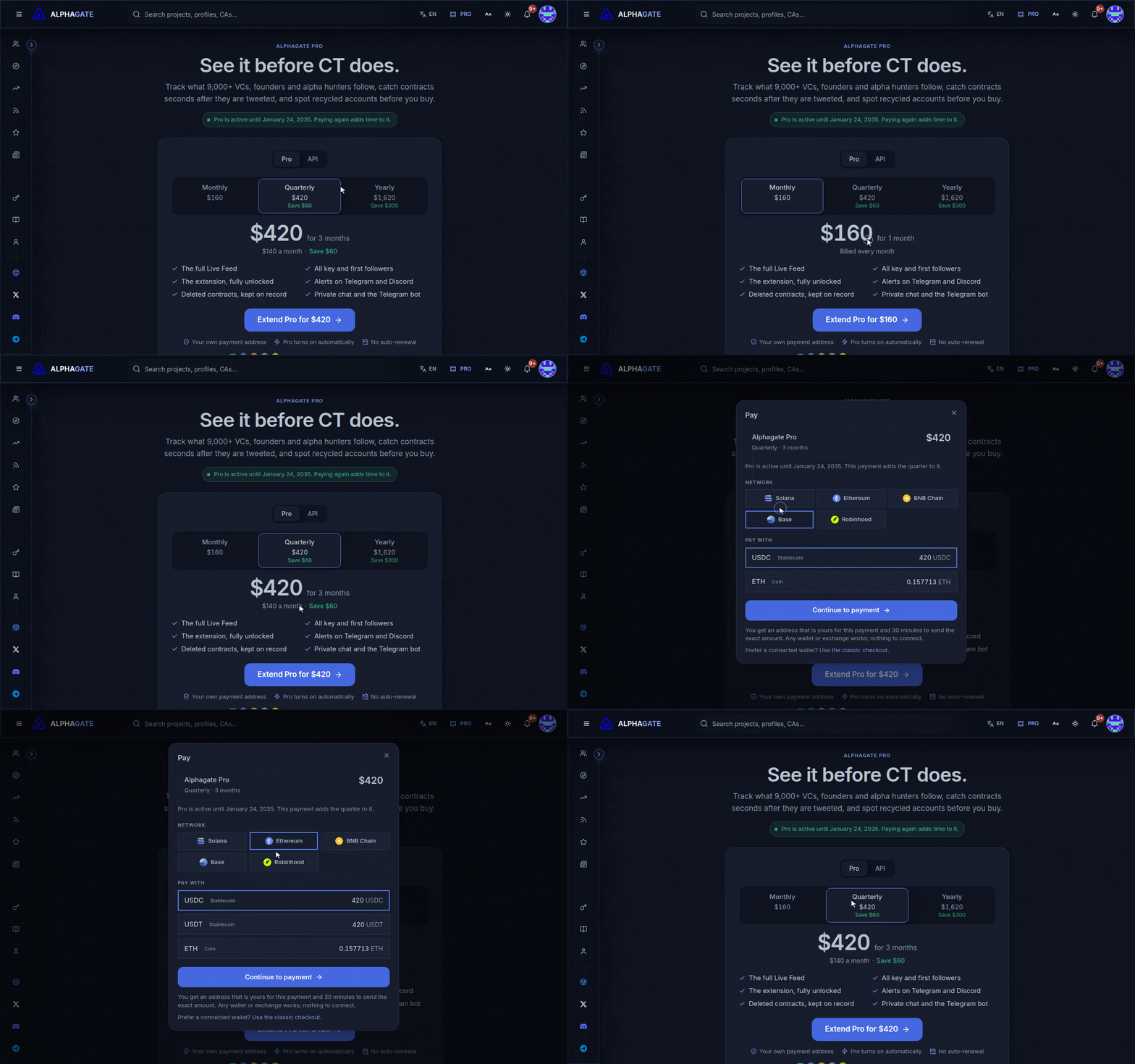
Pro is paid in crypto, one period at a time ([prices](/start-here/free-and-pro.md#prices)). Nothing renews automatically.
You get a payment address that's yours and an exact amount, and you have 30 minutes to send it, from any wallet, hardware wallet or exchange. There's nothing to connect and no memo. Pro turns on by itself once the payment confirms.
| Network | Stablecoins | Coin |
| --------------- | ----------- | ---- |
| Solana | USDC, USDT | SOL |
| Ethereum | USDC, USDT | ETH |
| BNB Chain | USDC, USDT | BNB |
| Base | USDC | ETH |
| Robinhood Chain | USDG | ETH |
Stablecoins are the simplest: the amount is the dollar price. A coin's price is locked for the 30 minutes.
## Worth knowing
* **Scan the QR with your phone's camera**, not the wallet's own scanner: the camera opens your wallet with the amount filled in, while a Send-screen scanner fills in only the address. Paying from an exchange? Switch to the address-only QR.
* **Exchanges take their withdrawal fee off what arrives**, so add it. If what arrives is short, the page asks for the rest, to the same address, and the deadline moves.
* **Sent too much?** Pro activates and the extra is kept toward your next renewal.
* **Landed after the timer ran out?** A payment sent in time is credited anyway. Anything else is reviewed by the team; there's nothing to do on your side.
* **Wrong token or network?** Contact support with the transaction, and don't send again until you hear back.
* **The address stays yours.** Paying the plan's price to it again renews Pro at that day's price; paying while Pro is active adds the new period on top.
## Paying from a connected wallet
The previous checkout, which pays from a connected wallet (SOL through Solana Pay, ETH or BNB), is still at [alphagate.io/subscribe/classic](https://alphagate.io/subscribe/classic). If a payment from it didn't reach your account, use **Profile & Settings › Billing › Import transaction**.
## API plans
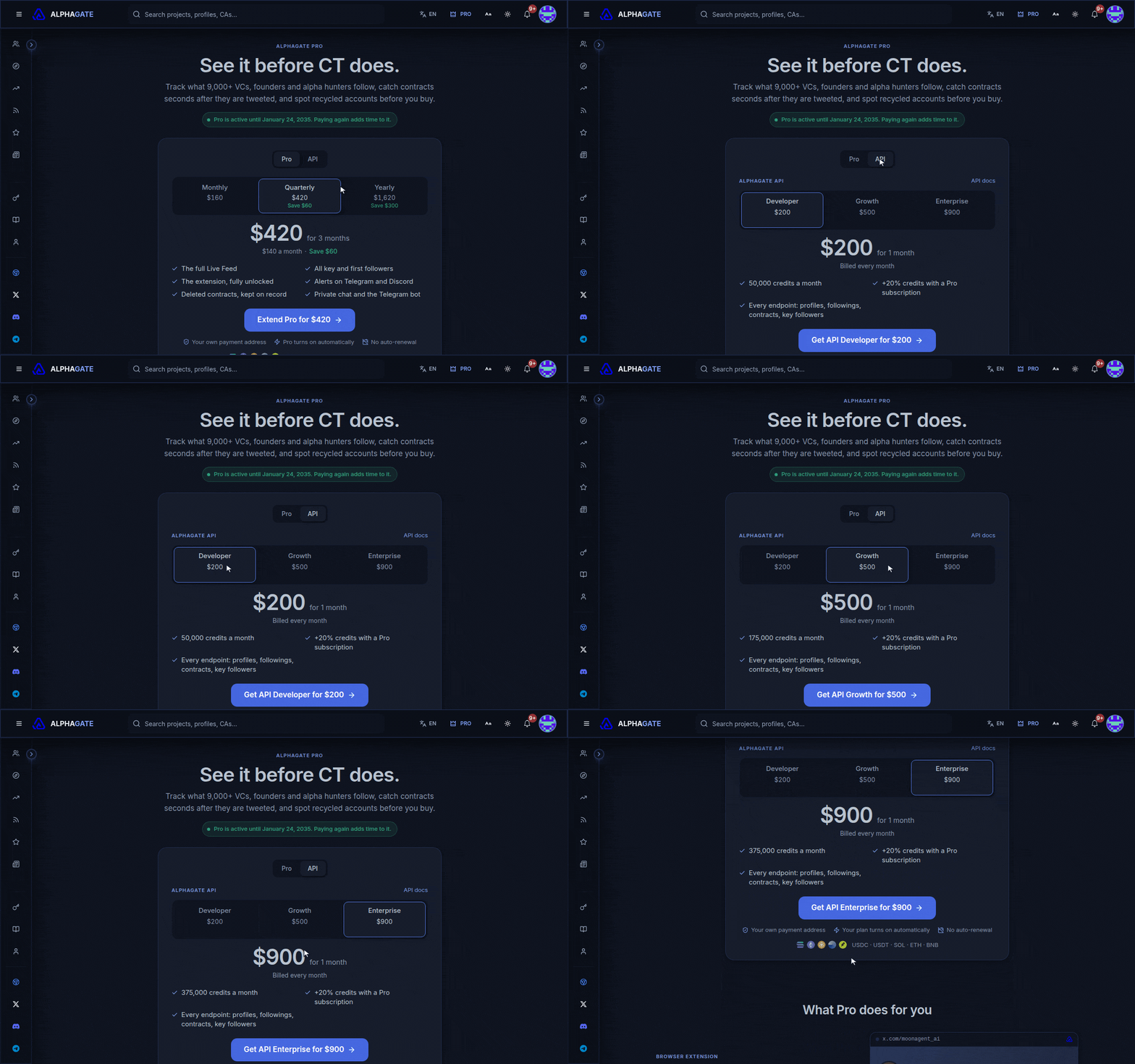
The **API** tab sells [Developer API](/developer-api/developer-api.md) plans and credit top-ups through the same checkout. [Plans and credits →](/developer-api/plans-and-credits.md)